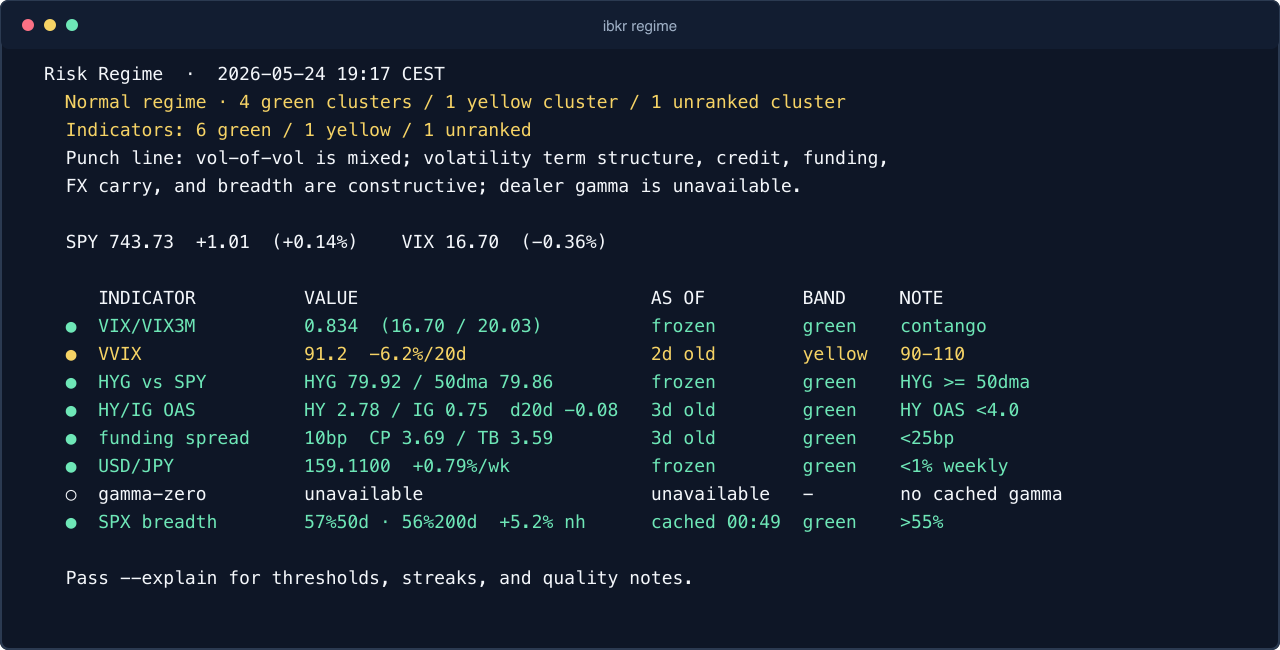
Risk regime
One dashboard for volatility, credit, funding, FX carry, dealer gamma, and S&P 500 breadth.
 ibkr canary
Agentic IBKR workflows
Connect Interactive Brokers (IBKR) Gateway or TWS to Claude Desktop first, with Claude Code, Cursor, Zed, and other local MCP hosts supported from the same binary. Ask real portfolio and market questions without copying tables out of TWS.
The bundled MCP surface is read-side only: agents can analyze, monitor, and size plans without receiving order-entry tools.
For Claude Desktop, use the MCPB install page, restart Claude, and keep IB Gateway or TWS running locally. The shell and Claude Code paths are there when you want one shared binary.
ibkr is analysis software, not financial advice — nothing it shows or says is a recommendation to buy or sell any security.
Most Mac users should start with the Claude Desktop MCPB. It bundles the local MCP server, keeps the broker session on your machine, and avoids hand-editing MCP config files.
Prerequisites: IB Gateway 10.37+ or TWS running locally, plus an IBKR Pro account with TWS API access. IBKR Lite does not include TWS API access.
The Claude Desktop path explains what the MCPB bundles, what still needs to be running locally, and the exact Mac install and restart steps.
# Claude Code plugin
/plugin marketplace add osauer/ibkr
/plugin install ibkr@ibkr
# restart Claude Code or run /reload-plugins after install/update

# Shell, Cursor, Continue, Zed, generic MCP hosts
curl -fsSL https://raw.githubusercontent.com/osauer/ibkr/main/install.sh | sh
ibkr setup claude-desktop

# then ask:
# "How does my IBKR account look today?"Terminal screenshots are generated from synthetic fixture data, so the public page shows the real CLI shape without exposing account holdings or balances.
One dashboard for volatility, credit, funding, FX carry, dealer gamma, and S&P 500 breadth.
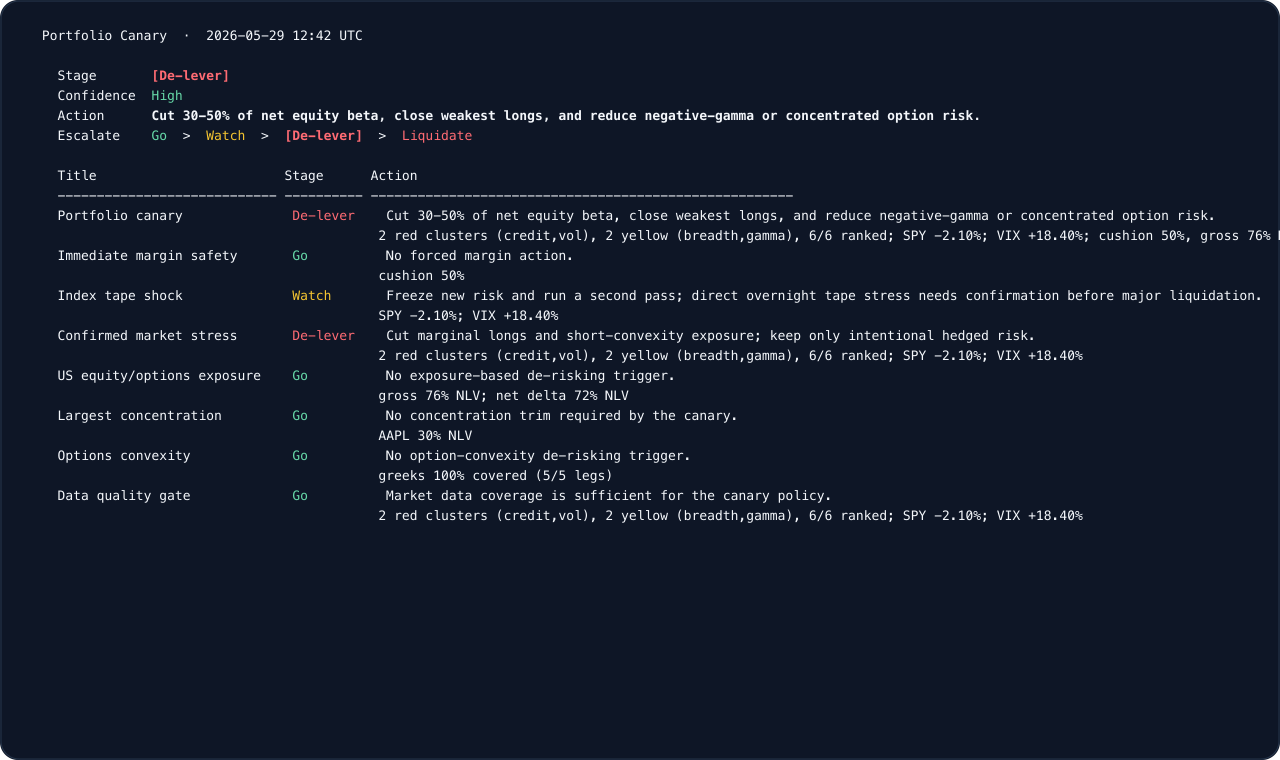
Scheduled lifecycle, readiness, source-health, and stress checks from account, exposure, regime, and data-quality gates.
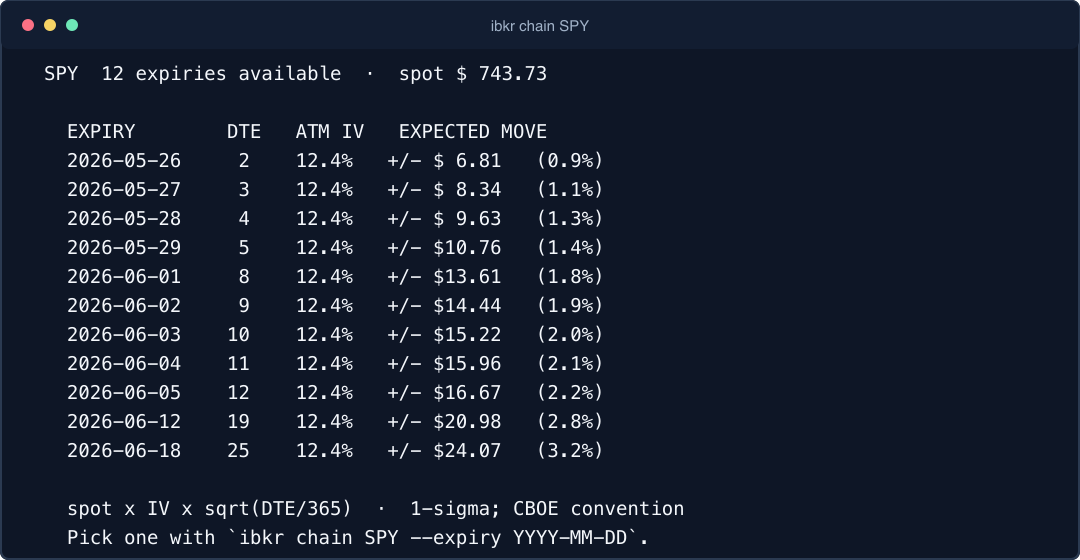
Expiry lists, ATM implied volatility, and expected moves from the local IBKR market-data session.
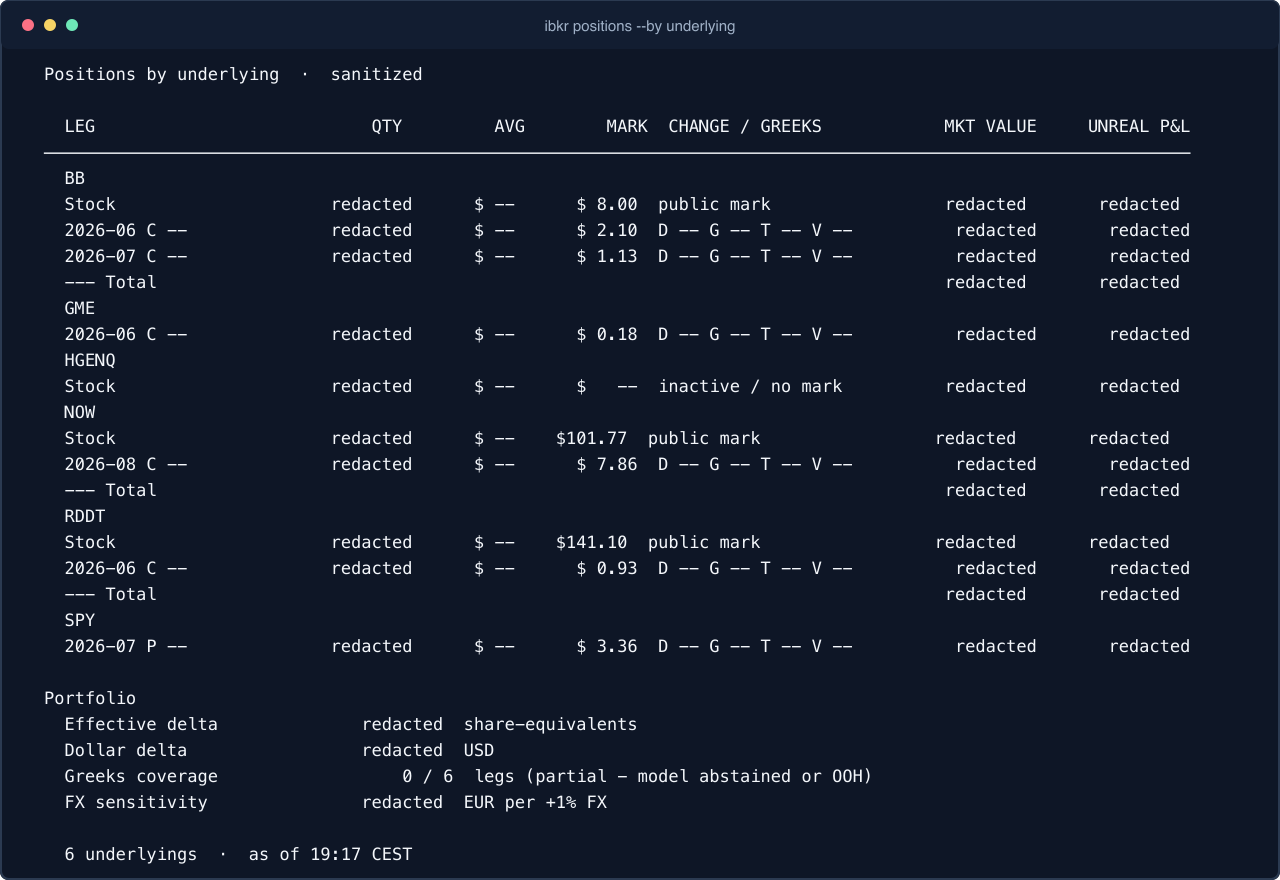
Underlying grouping, option legs, marks, Greek coverage, and portfolio-level exposure with sensitive values redacted here.
The MCP descriptions are written for agent routing, so assistants can pick the right tool without you naming commands.
ibkr mcp exposes account, quote, calendar, chain, scanner, sizing, breadth, gamma, regime, and stress-monitoring tools to MCP clients for analysis and scheduled-review workflows.
Run commands such as ibkr status, ibkr positions, ibkr canary, ibkr calendar, ibkr chain SPY, and ibkr regime. Every data command supports JSON; the CLI is useful, but the Claude/MCP path is the main path.
github.com/osauer/ibkr/pkg/ibkr speaks the TWS protocol directly with no Python bridge and no IBKR jars.
The paired Canary PWA can now run through a beta HTTPS relay when you want phone access away from the LAN. The app and broker session still live on your Mac; the relay is transport-only and currently maintainer-assisted for early users.
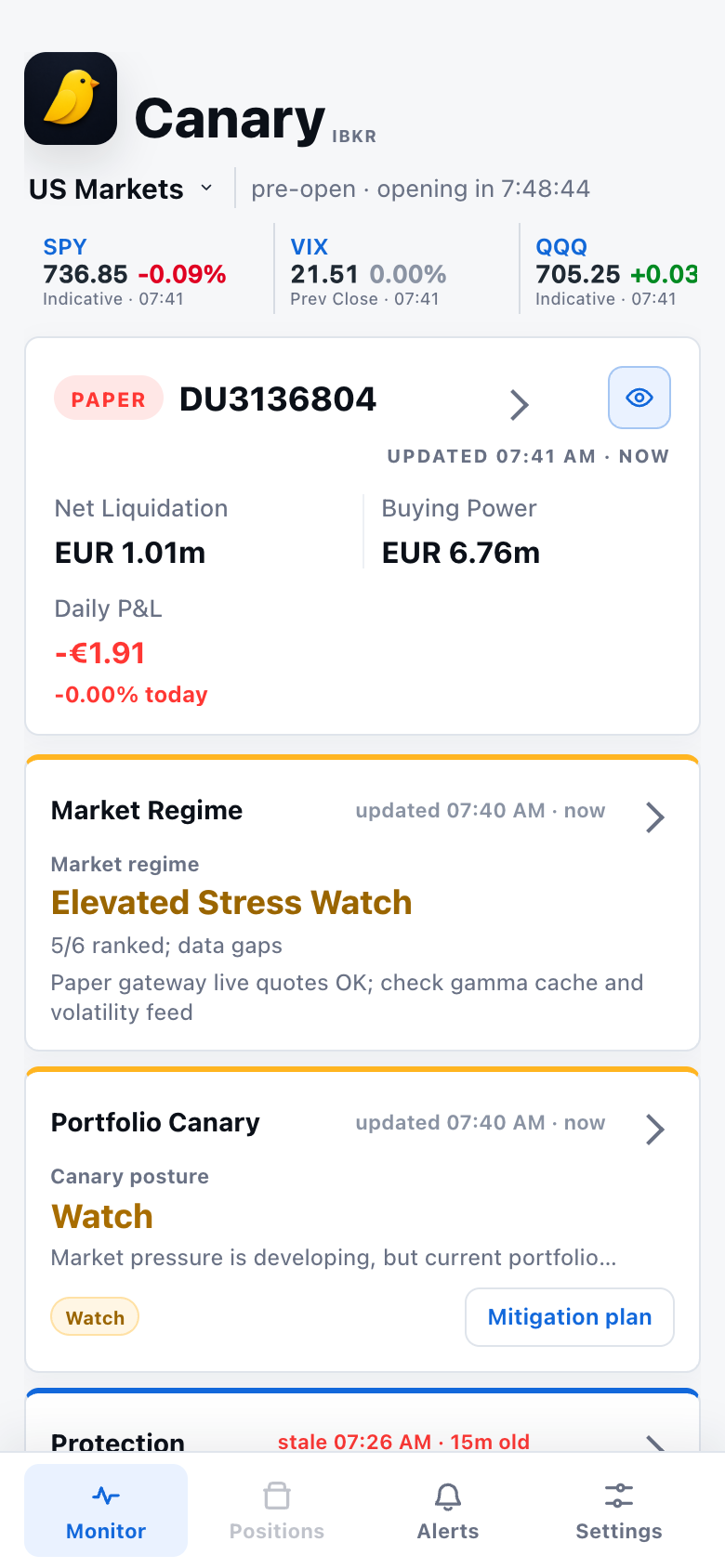
Market regime, portfolio canary, protection, alerts, positions, and settings in the paired PWA.
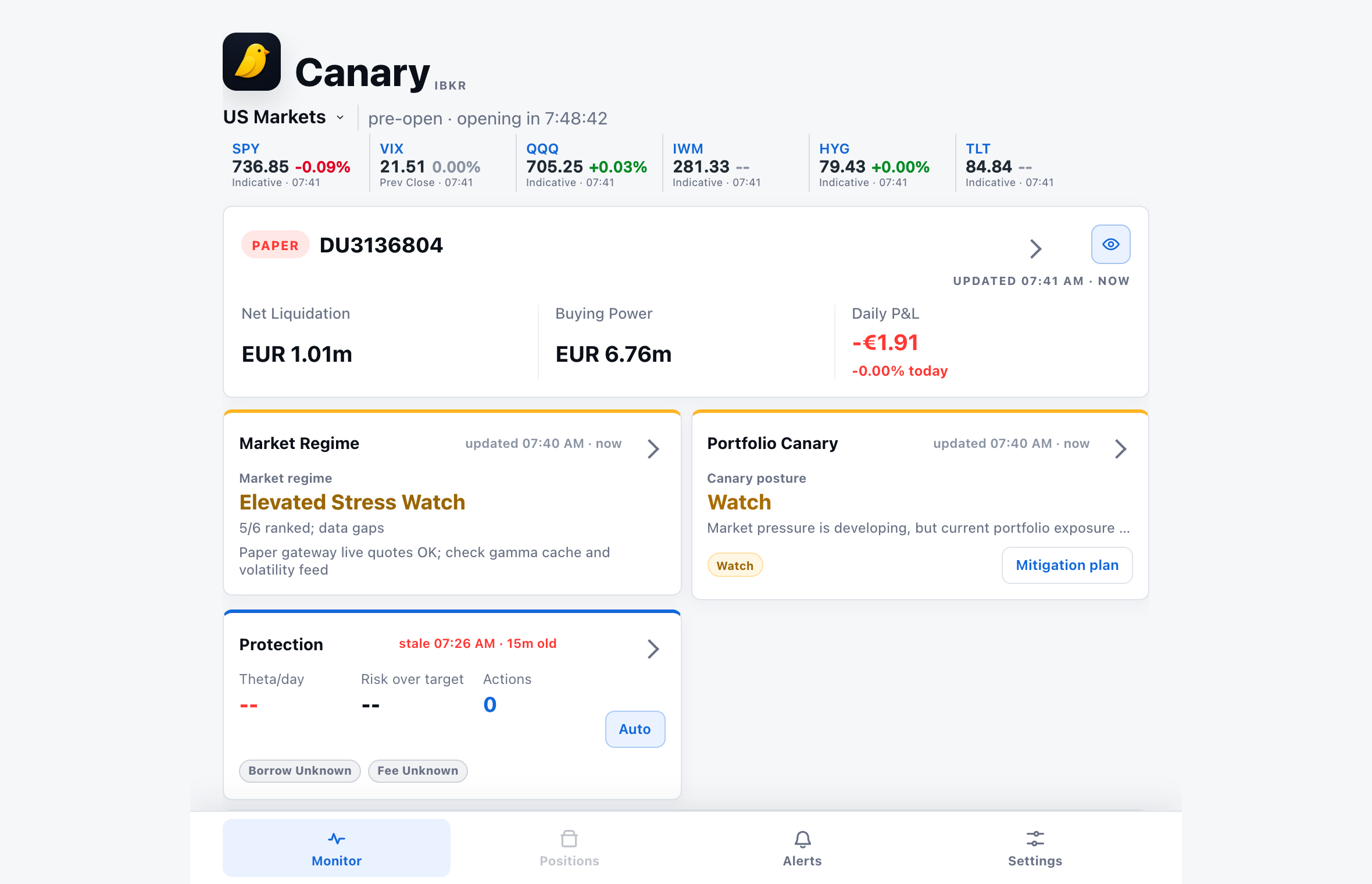
Start ibkr app --remote, pair the phone, and keep TWS or IB Gateway running on the Mac.
The phone uses HTTPS and the Mac connector uses WSS, so network intermediaries cannot read the traffic. Pairing and session authorization remain local to the app.
Short setup notes, relay caveats, pairing flow, screenshots, and the current beta security model.
ibkr mcp is a local Model Context Protocol server for Interactive Brokers account and market-data workflows.
Not in the standard downloads: the installer, the Claude Desktop bundle, and the plain ibkr tarballs are read-only builds with no place, modify, or cancel tools compiled in. Each release also publishes a clearly marked ibkr-trading tarball for users who explicitly opt into order management — it ships with warnings and layered safeguards.
Yes. It connects to a local TWS or IB Gateway API session and auto-discovers the standard paper and live ports.
Install the latest MCPB release asset, open it with Claude Desktop, and restart Claude while IB Gateway or TWS is running.
Start with Claude Desktop if that is where you plan to ask questions. The other pages are here for TWS, Gateway, safety, and deeper portfolio-review context.
Mac prerequisites, MCPB download, Claude Desktop install steps, and first-run checks.
The compact overview of the local MCP server, supported hosts, and read-only boundary.
Use Trader Workstation as the local API session behind Claude and other MCP clients.
Use the lighter local Gateway process as the account and market-data source.
The no-order-entry boundary for agentic account and market workflows.
A practical review flow for exposures, options risk, quote freshness, and next steps.